

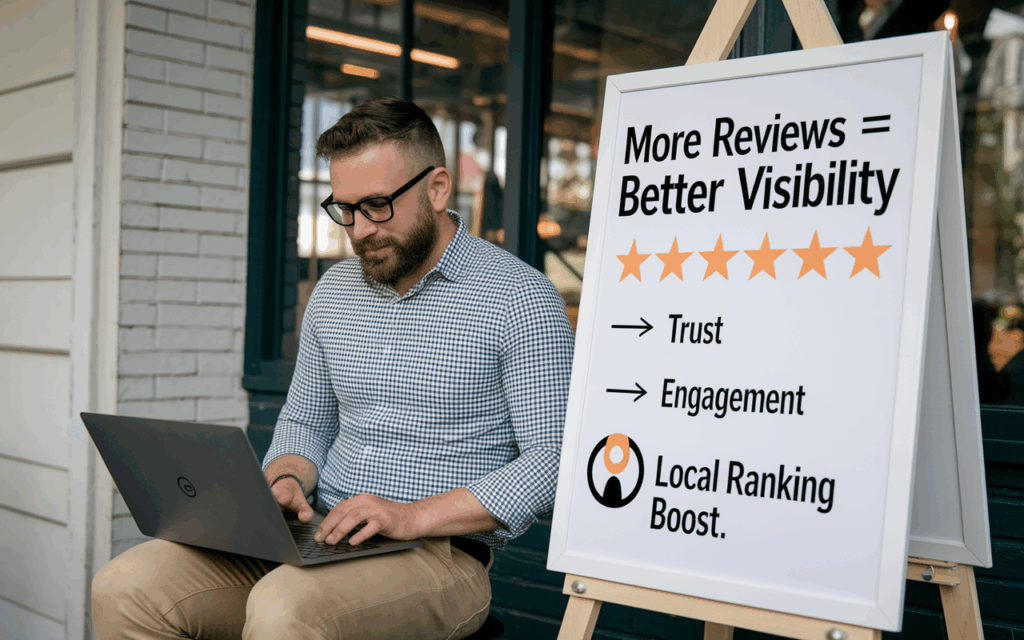
Google reviews affect your local rankings mainly through what Google calls prominence: how well known your business is. Google states it plainly: “More reviews and positive ratings can help your business’s local ranking.” Reviews are not the only factor, but in our experience the primary category, the searcher’s distance from you and your reviews usually decide who makes the map pack.
This guide covers what Google says, which parts of your reviews seem to matter, how to reply, how to get more reviews without breaking Google’s rules, and what to do about negative or fake ones.
What Google Says About Reviews and Local Ranking
In its help article Tips to improve your local ranking on Google, Google says local results are “mainly based on relevance, distance, and popularity.” It describes that third factor as prominence, and that’s the one reviews feed. Google explains prominence is “based on info like how many websites link to your business and how many reviews you have.”
The same page lists responding to reviews as one of its tips. Google says that “positive reviews and helpful replies can help your business stand out.” It also says there’s no way to request or pay for a better local ranking. You have to earn it.
Google does not publish how much weight reviews carry compared with other signals. For the full picture, see our guide to Google Maps ranking factors.
Which Parts of Your Reviews Matter
Some of what follows comes straight from Google. Some is what local SEOs, us included, believe from watching rankings over time. We’ll say which is which.
Review Count
Google confirms that how many reviews you have is part of prominence. There’s no magic number. What matters is how you compare with the businesses already showing in the map pack for your main searches.
Star Rating
Google names “positive ratings” as helpful. Rating also affects whether people click on you once you appear. A slightly lower rating with honest, detailed reviews often looks more believable than a perfect score from a handful of reviews. Google itself notes that a mix of positive and negative feedback often feels more trustworthy.
Recency
Google doesn’t say that newer reviews count more. Most local SEOs believe a steady flow of fresh reviews helps, and customers clearly notice when the latest review is a year old. Treat reviews as an ongoing habit, not a one-time push. It’s part of how long local SEO takes.
Words Used in Reviews
This one is practitioner belief, not something Google has confirmed. When customers write about the service you did and the town they live in, those words stay on your profile. We’ve long believed that helps Google connect your business with those services and places.
There’s a catch. Google’s review policy says businesses should not request that specific content be included in a review. So you can’t script your customers. Ask for honest feedback and let them write in their own words.
How to Reply to Reviews
You need a verified Business Profile before you can reply. Google checks every reply against its content policies before posting it. According to Google’s guide to managing customer reviews, that usually takes up to 10 minutes but can take up to 30 days.
We encourage clients to reply to every review, good or bad. Google’s review reply tips add some useful rules:
- Be professional and polite. Replies must follow the same policies as reviews.
- Keep it short. Get to the point quickly.
- Make each reply specific. Google advises against sending the same “thank you” to everyone.
- Be conversational, not promotional. Don’t use replies to push deals.
Where it fits naturally, mention the job in your reply (“Glad the water heater install in Encinitas went smoothly”). We think this adds useful context to the profile. Don’t stuff keywords or city names into every reply. It reads as spam to customers.
How to Get More Reviews the Right Way
The simplest method works best: ask. Most happy customers never think to leave a review until someone asks them. Google lets you create a review link or QR code from your Business Profile, which makes it easy to send by text or email right after the job.
Google’s prohibited and restricted content policy sets clear limits. Businesses must not:
- Offer incentives. No payment, discounts, free goods or services in exchange for a review, or for changing or removing a negative one.
- Use review gating. Google prohibits businesses that “discourage or prohibit negative reviews, or selectively solicit positive reviews from customers.” Screening customers with a survey and only sending happy ones to Google breaks this rule.
- Pressure people. Don’t require reviews on the premises or ask for specific content.
- Set staff quotas. Asking staff to collect a certain number of reviews is listed as not allowed.
What Google does allow is asking customers to share a genuine experience, without incentives or attempts to steer the rating. Ask every customer, not just the ones you think loved you.
Handling Negative and Fake Reviews
Negative Reviews
A fair negative review is not something to remove. It’s something to answer. Reply calmly, apologize where it’s warranted, explain what you can and can’t do, and invite the person to call or email so you can sort it out privately. Never share a customer’s private details or argue in public. Google notes that customers can update their review after you reply.
Fake or Policy-Violating Reviews
Reviews from competitors, former employees, people who were never customers, or anyone with a conflict of interest break Google’s policies. Flag them. Google explains how in Report inappropriate reviews on your Business Profile: open your profile, select the review, choose Report and pick a reason. You can track the status in Google’s Reviews Management Tool, and if Google finds no violation you get a one-time appeal.
Google is clear that you shouldn’t report a review just because you disagree with it. Only reviews that break policy are removed.
Reviews Split Across Duplicate Profiles
One problem we see often: conflicting old listings, such as a former address or phone number, lead to duplicate profiles, and reviews end up split between them. Cleaning up your citations and NAP details helps prevent this.
Reviews and AI Search Answers
Tools like Google’s AI Overviews, Gemini and ChatGPT often describe a business by summarizing what reviewers say, not just quoting the star rating. Detailed reviews that mention real services give these tools more to work with. Our guide to AI search optimization for local businesses covers where each tool gets its review data.
Reviews also work alongside distance. A strong review profile can help you compete a little farther from your address, which we cover in how distance affects local rankings. For the rest of your profile, see our Google Business Profile optimization guide.
Frequently Asked Questions
How many Google reviews do I need to rank in the map pack?
There is no set number. Google says more reviews and positive ratings can help, but it doesn’t publish a target. Look at the businesses already in the map pack for your main searches and aim to match or pass them over time.
Do replies to reviews help my rankings?
Google lists responding to reviews among its tips to improve local ranking and says helpful replies can help your business stand out. It doesn’t say how much replies count. Replies also show future customers that you listen.
Can I offer a discount in exchange for a Google review?
No. Google’s policy prohibits offering payment, discounts, free goods or services in exchange for a review. Reviews posted because of an incentive can be removed, and the policy also covers asking for a negative review to be changed or removed.
Can I get a bad review removed from Google?
Only if it breaks Google’s policies, for example if it’s spam, fake, from a competitor or off-topic. You can flag it from your Business Profile or the Reviews Management Tool. A fair negative review won’t be removed, so reply to it professionally instead.
Get Help With Reviews and Local Rankings
Local Blitz has helped local businesses rank on Google since 2009, from offices in San Diego (Encinitas) and Indianapolis. Our local SEO work includes a review process that follows Google’s rules, and it runs month-to-month. Book a free strategy call and we’ll show you how your reviews compare with the businesses outranking you.
Is AI recommending your business?
We will ask ChatGPT, Gemini and Google AI about your business and show you what they say. It is free.
Want More Customers From Search?
Book a free strategy call, or call San Diego (858) 225-6877 or Indianapolis (317) 672-1156.