
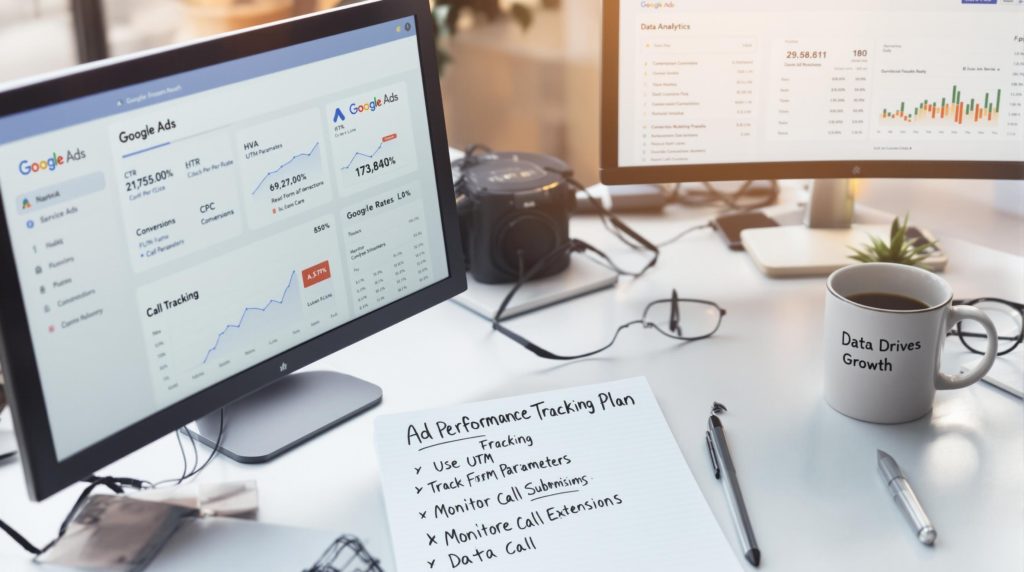
Call and conversion tracking for a service business means recording every phone call, form submission and booking that comes from your ads and website, then tying each one back to the campaign, keyword or source that produced it. Without it, Google Ads and Meta optimize for clicks instead of customers, and you can’t tell which spend pays off.
Service businesses get most of their leads by phone, which makes tracking harder than for an online store. This guide covers call tracking, form and lead tracking, GA4 key events, offline conversions, UTM parameters and web analytics, then gives a step-by-step setup and a checklist for confirming it works. It’s part of our Google Ads hub.
What to Track and Where It Shows Up
| Action | How to track it | Where you see it |
|---|---|---|
| Calls from your ads | Google Ads call conversions using call assets and a Google forwarding number | Google Ads |
| Calls from your website after an ad click | Google Ads website call conversions, which swap in a forwarding number for ad visitors | Google Ads |
| Taps on your phone number | A click event on tel: links, set up in Google Tag Manager or the Google tag | GA4 and Google Ads |
| Form submissions | A form submit event or thank-you page, marked as a key event | GA4 and Google Ads |
| Online bookings | A booking confirmation event | GA4, Google Ads and Meta |
| Booked jobs and sales | Offline conversion import or enhanced conversions for leads from your CRM | Google Ads |
| Ad leads on Meta | Meta Pixel and Conversions API events, or lead ad form submissions | Meta Ads Manager |
Call Tracking
Google Ads call conversions
Google’s guide to measuring calls from ads describes three sources of call conversions: calls from ads, calls from website visits, and calls you upload yourself. For the first two, Google uses a forwarding number, so it knows which ad led to the call. You choose a minimum call length that counts as a conversion, so a wrong number or a quick hang-up isn’t counted as a lead. Set that length to match a real enquiry for your business.
Calls from ads come from call assets (the phone number shown with your search ad). Calls from website visits need the Google tag on your site and a snippet that swaps your number for a Google forwarding number when someone arrives from an ad. Taps on your number on a mobile site can be tracked as a separate click conversion, but a tap isn’t proof of a completed call, so treat it as a softer signal.
Call tracking numbers and dynamic number insertion
Third-party call tracking tools give each source its own number, so you can see calls from Google Ads, Meta, Google Business Profile and other channels in one place, often with recordings. Dynamic number insertion swaps the number on your website based on where the visitor came from. Many of these tools can also send calls into Google Ads and GA4 as conversions.
Call tracking numbers and NAP consistency for local SEO
Local SEO depends on your business name, address and phone number (NAP) matching across your website, Google Business Profile and directories. Tracking numbers can break that consistency if they’re used carelessly. Google’s Business Profile guidelines ask for a phone number that connects to your location and is under your business’s direct control, and say additional phone numbers can be used. To track calls without muddying your NAP:
- Keep your main local number in your website’s text and LocalBusiness schema, and use dynamic number insertion so tracking numbers only appear to visitors from ads or specific campaigns
- Don’t put tracking numbers on directory listings and citations
- If you use a tracking number on your Google Business Profile, a common approach is to make it the primary number and list your main number as an additional phone, so both connect to your business
- Use local tracking numbers rather than toll-free ones where possible
Our local SEO page covers NAP consistency and citations in more detail.
Form and Lead Tracking
Forms are easier to track than calls, but they still need setup. GA4’s enhanced measurement can record form_start and form_submit events automatically. It doesn’t work reliably with every form plugin, so many sites use a thank-you page, or a custom event fired in Google Tag Manager when the form succeeds. Whatever method you use, make sure the event fires once per real submission, not on every button click or failed attempt, and don’t send personal details such as names or emails into Analytics.
Google Ads can also use enhanced conversions, which send hashed customer data such as an email address with the conversion. That improves measurement when cookies are blocked.
GA4 Key Events
In Google Analytics 4, the actions that matter to your business are called key events. Google renamed them from “conversions” in 2024, and now uses “conversions” for the key events you share with Google Ads for bidding. Google explains the difference in conversions vs key events. For a service business, the usual key events are form submissions, phone link clicks, booking confirmations and calls reported by a call tracking tool. Mark only the events that represent real leads; if every page view is a key event, the reports stop meaning anything.
Link GA4 to Google Ads so you can import key events as conversions and see ad traffic in Analytics. If Google Ads already tracks a conversion with its own tag, don’t import the same action from GA4 as a second primary conversion, or it will be counted twice.
Offline Conversions Basics
A call or form is a lead, not a sale. Offline conversions tell Google Ads which leads became paying customers. Google Ads gives each ad click an ID called a GCLID; you store it with the lead in your CRM, and when the lead books a job you upload it back. Google’s offline conversion import guide covers the process, and Google now recommends enhanced conversions for leads, which match leads using hashed email or phone data. Many CRMs offer a direct integration. On Meta, the Conversions API can send CRM events such as a qualified lead or a booked job back to Ads Manager.
Offline data is how you move from “cost per lead” to “cost per booked job,” which is the number that decides whether a campaign is profitable.
UTM Parameters
UTM parameters are tags added to the end of a link so Google Analytics knows where a visit came from. Google’s URL builder guide lists the parameters Analytics reads. The five you’ll use most:
| Parameter | What it records | Example |
|---|---|---|
| utm_source | The site or platform sending traffic | |
| utm_medium | The type of traffic | paid_social |
| utm_campaign | The campaign name | spring_ac_tuneup |
| utm_content | Which ad or link, to compare versions | video_a |
| utm_term | The paid keyword, if relevant | ac_repair |
Google Ads doesn’t need UTMs if auto-tagging is on, because it adds its own click ID. Use UTMs on everything else: Meta ads, email, text messages, QR codes and the website link on your Google Business Profile, so profile visits don’t get mixed in with other organic traffic. Keep a written naming convention, use lowercase, and build links with Google’s Campaign URL Builder so a typo like “Facebook” vs “facebook” doesn’t split your data into two rows.

Web Analytics and User Behavior
Tracking tells you which sources produce leads. Behavior data helps explain why some visitors call and others leave. In GA4, the most useful reports for a service business are:
- Traffic acquisition: sessions, engagement and key events by source and medium, so you can compare Google Ads, organic search, Meta and your Business Profile
- Engagement rate: the share of sessions that lasted more than 10 seconds, viewed two or more pages, or included a key event; GA4’s bounce rate is simply the opposite of this
- Landing pages: which pages bring in visitors who go on to call or submit a form
- Path exploration: the steps people take before they contact you, or before they leave
Heatmaps and session recordings, from tools such as Microsoft Clarity, show where people click and scroll on a page, which helps spot a hidden phone number or a confusing form. Avoid vanity metrics: page views and time on site are only useful when they connect to calls and leads. For engagement and retention, a service business learns more from its CRM (repeat customers, maintenance plans, referrals) than from returning-visitor counts.

How to Set Up Call and Conversion Tracking, Step by Step
- List the actions that count as a lead: calls over a set length, form submissions, bookings, and messages.
- Install the Google tag or Google Tag Manager on every page, and make sure your business owns the GA4 and Google Ads accounts.
- Set up form tracking with a thank-you page or a success event, and a click event for tel: links.
- Mark those events as key events in GA4, and link GA4 to Google Ads.
- In Google Ads, create call conversions for calls from ads and calls from your website, with a minimum call length that fits your business.
- Turn on auto-tagging in Google Ads and enhanced conversions if your forms collect an email or phone number.
- If you use a call tracking tool, set up dynamic number insertion and connect it to Google Ads and GA4, keeping your main number in your site’s text and schema.
- Install the Meta Pixel and Conversions API if you run Meta ads, with Lead, Contact and Schedule events.
- Add UTM parameters to all non-Google Ads links.
- Store the GCLID and source in your CRM, and set up offline conversions or enhanced conversions for leads to send booked jobs back.
How to Know Your Tracking Is Working
- Submit a test form and check that the event appears in GA4’s Realtime or DebugView report, and in Google Tag Assistant
- Make a test call from a mobile phone through an ad and stay on longer than your minimum call length; check that it appears in Google Ads (allow time for reporting)
- Check the status column for each conversion action in Google Ads for messages such as “No recent conversions” or “Inactive”
- Use Test Events in Meta Events Manager to confirm Pixel and Conversions API events arrive
- Once a month, compare leads in your CRM or call log with what Google Ads, Meta and GA4 report; small gaps are normal, large ones mean something is broken or double-counted
What to Do With the Data
Once tracking works, you can judge campaigns on cost per lead and cost per booked job instead of clicks. Impressions, click-through rate, cost per click and Quality Score still matter, but as clues to why cost per lead is rising or falling. Our guide to the metrics we report and why explains each one, and our 7-step guide to measuring ROI shows how to turn the numbers into a return on your spend.
Frequently Asked Questions
How do I track phone calls from Google Ads?
Set up call conversions in Google Ads for calls from ads and calls from your website. Both use Google forwarding numbers, and you choose a minimum call length that counts as a conversion. Call tracking tools can also send calls into Google Ads.
Will call tracking numbers hurt my local SEO?
They can if they replace your main number across the web. Keep your main local number in your website text, schema and directory listings, and use dynamic number insertion so tracking numbers only show to visitors from ads.
What is a key event in GA4?
A key event is an action that matters to your business, such as a form submission or phone link click. Google renamed conversions to key events in GA4 in 2024, and conversions now refers to key events shared with Google Ads.
Do I need UTM parameters on Google Ads links?
Usually not. With auto-tagging on, Google Ads adds its own click ID and Analytics reads campaign data from it. Use UTM parameters on Meta ads, email, QR codes and your Google Business Profile link.
What are offline conversions?
They are sales or booked jobs that happen after the click, often by phone. You send them back to Google Ads from your CRM using the click ID or hashed customer data, so the platform learns which ads produce customers.
Get Help Setting Up Tracking
Local Blitz has managed Google Ads and tracking for service businesses since 2009, from offices in San Diego and Indianapolis. We set up call and form tracking, connect GA4 and Google Ads, and report on calls, leads and rankings. Ad spend is paid directly to Google or Meta and our management fee is separate, with month-to-month plans and no cookie-cutter packages. See our Google Ads management service, or book a free strategy call and we’ll review your current tracking with you.
Is AI recommending your business?
We will ask ChatGPT, Gemini and Google AI about your business and show you what they say. It is free.
Want More Customers From Search?
Book a free strategy call, or call San Diego (858) 225-6877 or Indianapolis (317) 672-1156.