
To rank in Google AI Mode, your page has to be indexed and eligible to show in Google Search with a snippet, and it has to answer the question and the follow-up questions better than other pages do. Google says there are no special requirements or tricks for AI Mode, so the work is solid SEO, clear answer-first content, and accurate business information.
This guide explains what AI Mode is, how it picks the pages it links to, whether it shows local businesses, the steps to take, and how to track results. It focuses on AI Mode itself. For the short summaries at the top of regular results, see our guide to ranking in Google’s AI Overviews. For local recommendations across ChatGPT, Gemini, Copilot and Siri, see AI search optimization for local businesses.
What Is Google AI Mode and How Does Gemini Power It?
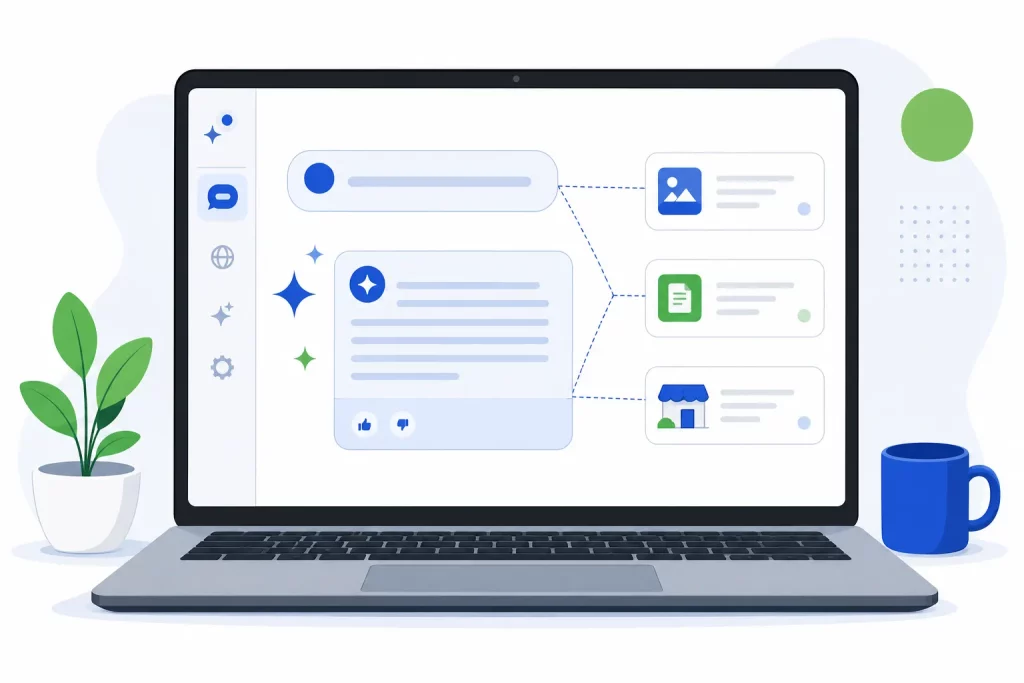
AI Mode is a conversational search experience inside Google Search. You open the AI Mode tab, ask a question in plain language, get a written answer with links to supporting websites, and keep asking follow-up questions in the same thread. Google introduced it in March 2025 as an opt-in Labs experiment built on a custom version of Gemini 2.0.
It has grown quickly since then. In May 2025 Google said it was rolling AI Mode out to everyone in the U.S. with no Labs sign-up, running on a custom version of Gemini 2.5. In August 2025 it expanded to more than 180 new countries and territories in English. By March 2026, Google said people in more than 200 countries and territories could use AI Mode. Availability and models keep changing, so check Google’s latest posts for your market.
How AI Mode Differs From AI Overviews
Both are Google features, and both use the same eligibility rules. The difference is the job each one does:
| AI Overviews | AI Mode | |
|---|---|---|
| Where it shows | At the top of a regular results page | In its own AI Mode tab or view |
| When it shows | Only when Google decides it adds value, so it often doesn’t appear | Whenever someone chooses to use AI Mode |
| Best for | Getting the gist of a topic quickly | Deeper exploration, reasoning and comparisons |
Google’s documentation on AI features also notes that AI Mode and AI Overviews may use different models and techniques, so the answers and links they show will vary. Ranking in one doesn’t guarantee a spot in the other.
How AI Mode Chooses Its Sources
Query Fan-Out
AI Mode doesn’t run one search for your question. Google describes a “query fan-out” technique: it breaks the question into subtopics and runs many related searches at the same time across those subtopics and different data sources, then combines what it finds into one answer. A question like “is a heat pump worth it in San Diego” might fan out into searches about costs, rebates, climate, efficiency ratings and installers.
This is why AI Mode can link to pages that would never rank on page one for the main query. A page that answers one subtopic clearly can still be pulled in as a supporting link. Google says that while answers are being generated, its models find more supporting pages, so AI Mode can show a wider and more varied set of links than a classic search.
Eligibility Comes From Regular Search
To be shown as a supporting link in AI Mode, a page must be indexed and eligible to show in Google Search with a snippet. Google says there are no additional technical requirements. Meeting them doesn’t guarantee your page will be used, but missing them rules you out. If a page is blocked in robots.txt, set to noindex, or limited with nosnippet, it won’t be eligible in the same way.
Does AI Mode Show Local Businesses?
Yes. In May 2025 Google announced visual place cards in AI Mode. For local spots like restaurants, salons and stores, they show ratings, reviews and opening hours, and Google’s example showed local stores with live busyness and options to call or get directions. Google said this is powered by its up-to-date information about local businesses.
Google has also said AI Mode’s agentic features, such as finding restaurant reservations, use its Knowledge Graph and Google Maps. For a local business, that makes your Google Business Profile one of the most important inputs to AI Mode. Our local AI search guide covers the listings other AI tools rely on.
Step-by-Step: How to Rank in Google AI Mode
1. Make Sure Your Pages Are Indexed and Eligible for Snippets
Open Google Search Console and use the URL Inspection tool on your key pages. Confirm they’re indexed, that robots.txt and your CDN or security settings allow Googlebot, and that you haven’t added nosnippet or a tight max-snippet setting by mistake. Fix this first, because nothing else matters if the page isn’t eligible.
2. Lead With the Answer
Put a direct one or two sentence answer at the top of each page and under each heading. Use headings that match how people phrase questions. Keep the important facts in plain text on the page, not only in images, PDFs or content loaded by scripts. This is the core idea behind answer engine optimization (AEO).
3. Cover the Follow-Up Questions
Because AI Mode fans out into subtopics and invites follow-ups, a page that only answers the first question leaves openings for other sites. List what a customer would ask next: cost factors, timelines, comparisons, pros and cons, who it’s right for, and what to watch out for. Answer each one in its own section. Link related pages together so Google can find your full coverage of a topic.
4. Keep Your Google Business Profile Accurate
Google’s own best practices for AI features include checking that your Business Profile information is up to date. Confirm your name, address, phone, hours (including holiday hours), categories, services and website link. Add real photos. If you sell products, keep your Merchant Center data current too, since Google lists it in the same best practice.
5. Use Structured Data That Matches the Page
Google says there’s no special schema.org markup needed for AI Mode, and no AI text files or new machine-readable files either. Structured data is still useful for Search in general. The rule Google stresses for AI features is that your structured data must match the visible text on the page. Don’t mark up reviews, prices or FAQs that visitors can’t see.
6. Earn Reviews and Mentions
AI Mode’s place cards show ratings and reviews, so a steady flow of genuine Google reviews matters for local queries. Ask happy customers, reply to every review, and never buy or gate reviews. Beyond reviews, mentions on trusted local and industry sites help Google and other AI systems confirm who you are and what you do. This overlaps with generative engine optimization (GEO).
7. Provide a Good Page Experience
Google lists a great page experience among the SEO basics that still matter for AI features. Pages should load quickly, work well on phones, avoid intrusive pop-ups, and make the main content easy to find. Someone who clicks through from an AI Mode answer should land on exactly what the link promised.
How to Track Your AI Mode Visibility
Google says sites that appear in AI features, including AI Mode, are counted in the overall search traffic in Search Console, in the Performance report under the “Web” search type. Search Console’s help page explains that a click on an external link in AI Mode counts as a click, and that follow-up questions are counted as new queries.
In June 2026 Google also introduced Search Generative AI performance reports in Search Console. They give a separate view of impressions in generative AI features such as AI Overviews and AI Mode, broken down by page, country, device and date. Google noted that as of August 31, 2026 these reports had rolled out to all websites worldwide. The same data still counts in the overall Performance report.
- Check the generative AI report to see which pages appear in AI features and how that changes over time.
- Run your own checks. Each month, ask AI Mode the same set of customer questions and note whether your pages or business show up.
- Watch conversions in Google Analytics, not only traffic, to see whether AI Mode visitors become leads.
- Ask new leads how they found you, and include AI search as an option on forms.
Our guide to tracking your business in AI search answers walks through a full tracking routine.
Frequently Asked Questions
Is ranking in AI Mode different from regular SEO?
Not much. Google says the same SEO best practices apply and there are no extra requirements for AI Mode. The difference is emphasis: AI Mode rewards pages that answer questions directly and cover the follow-up questions a person is likely to ask.
Do I need special schema or an llms.txt file for AI Mode?
No. Google says you don’t need new machine-readable files, AI text files, or special schema.org markup to appear in AI Mode. If you use structured data, it should match the visible text on the page.
If I rank in AI Overviews, will I also show up in AI Mode?
Not necessarily. Google says AI Mode and AI Overviews may use different models and techniques, so the answers and links they show will vary. The same work helps both, but track them separately.
Can I see AI Mode traffic in Google Search Console?
Yes. Google counts AI Mode in the overall Performance report under the “Web” search type. Search Console’s Search Generative AI performance reports also give a separate view of impressions in AI features like AI Mode and AI Overviews.
Can I stop my content from appearing in AI Mode?
Google says you can limit what’s shown from your pages with nosnippet, data-nosnippet, max-snippet or noindex. These controls also affect how your pages appear in regular Search, so use them carefully.
Get Help Ranking in Google AI Mode
Local Blitz has been in business since 2009, with offices in Indianapolis and San Diego. Our AI search optimization work covers Google AI Mode, AI Overviews and the other AI tools your customers use. Not sure how SEO, AEO and GEO fit together? Start with the difference between SEO, AEO and GEO, or book a free strategy call and we’ll review where your business shows up today.
Is AI recommending your business?
We will ask ChatGPT, Gemini and Google AI about your business and show you what they say. It is free.
Want More Customers From Search?
Book a free strategy call, or call San Diego (858) 225-6877 or Indianapolis (317) 672-1156.