
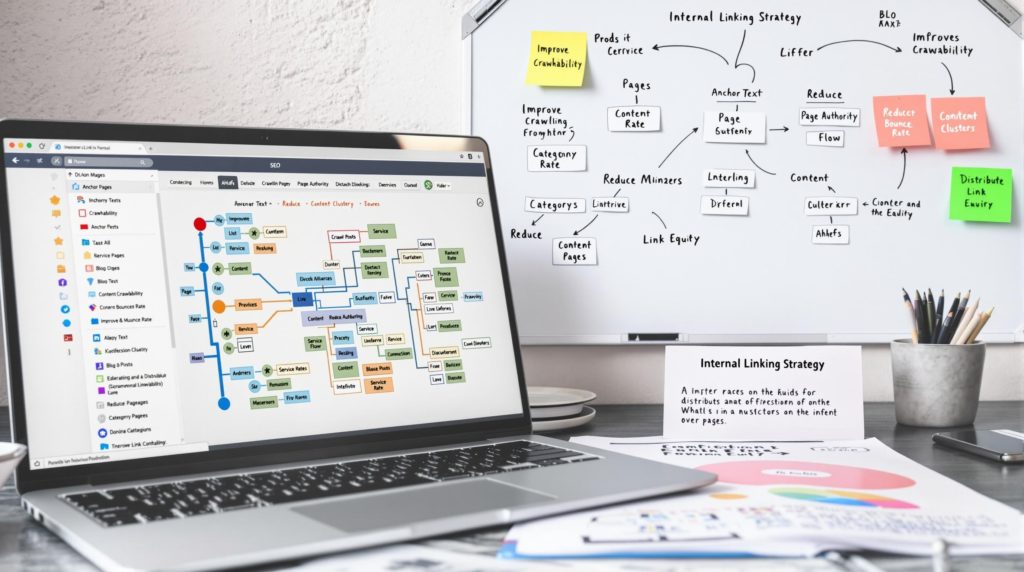
Internal linking means linking from one page on your website to another page on the same site. Those links are how visitors move around, how search engine crawlers discover your pages, and how you show which pages belong together. When related pages are grouped around a main page and linked to each other, you get a content hub, sometimes called a silo or a hub-and-spoke structure.
Linking is one part of on-page SEO, but it’s also a site-wide job. This guide covers why internal links matter, how to write anchor text, how to find and fix orphan pages, and how to plan content hubs for a local business site. For the rest of the picture, see our SEO hub.
Why Internal Links Matter for SEO
Search engines discover many pages by following links from pages they already know. Google’s SEO Starter Guide says links “are a great way to connect your users and search engines to other parts of your site.” Internal links do three jobs at once:
- Discovery: a crawler that lands on one page follows its links to find others.
- Context: the words you link tell people and Google what the linked page is about.
- Navigation: visitors who want more detail can get to it in one click instead of going back to search.
Your sitemap helps search engines find URLs too, and our guide to technical SEO covers sitemaps and indexing. But a sitemap is a list. Links show how pages relate to each other, and they’re what visitors actually use.
Crawlable Links: The Technical Basics
Not every link can be followed. Google’s guide to making links crawlable says it can generally only crawl a link if it’s an <a> HTML element with an href attribute. Links built only with JavaScript, without an href, may not be followed.
For most WordPress sites this is already handled. Menus, buttons and links added in the editor produce normal <a href> links. Where it goes wrong is with some sliders, tabs, mega menus and page builder widgets that use scripts to move between pages. If you’re not sure, right-click the link, choose Inspect, and check that it’s an <a> tag with a real URL in the href.
Clean URLs make linking easier to manage. Short, readable addresses, as covered in our guide to URL structure, are easier to link to correctly and easier to spot when something’s wrong.
Anchor Text: What the Link Says
Anchor text is the visible, clickable text of a link. Google’s link guidance says good anchor text is “descriptive, reasonably concise, and relevant to the page that it’s on.” It lists “click here” and “read more” as bad examples, because they tell the reader nothing about where the link goes. A good test is whether the anchor text makes sense on its own.
| Weak anchor text | Better anchor text |
|---|---|
| Click here | Book a furnace tune-up |
| Read more | How to tell if your water heater is failing |
| Learn more about our services | Commercial roof repair in Indianapolis |
| This page | our guide to header tags |
Two cautions. First, don’t stuff anchors with keywords. Google says keyword stuffing violates its spam policies, and that includes links. Second, vary your wording naturally. Linking to your AC repair page as “AC repair,” “air conditioner repair” and “fixing a unit that won’t cool” reads better than the same exact phrase every time.
Orphan Pages and How to Fix Them
An orphan page is a page with no internal links pointing to it. Visitors can’t click their way to it, and crawlers have a harder time finding it. Google’s advice is direct: “Every page you care about should have a link from at least one other page on your site.”
Orphan pages are common on small business sites. Typical causes:
- A landing page built for an ad campaign and never linked from the main site
- A service page that was dropped from the menu during a redesign
- Blog posts that only appear in an archive that’s several pages deep
- Location pages that are listed in the sitemap but not linked anywhere
To find them, compare a list of all your URLs, from your sitemap or a site crawler, with the pages that actually receive internal links. Any page on the first list but not the second is an orphan. Then either link to it from a relevant page, merge it into another page, or remove it if it no longer serves a purpose.
Content Hubs, Silos and Hub-and-Spoke Structure
A content hub is a group of related pages organized around one main page. The main page, the hub, gives the overview and links out to each supporting page, the spokes. Each spoke covers one subtopic in depth and links back to the hub, and to other spokes where it helps the reader. Some SEOs call this a silo. The idea is the same: related pages stay connected, so the structure of the site reflects what the business actually does.
Here’s what a hub might look like for a home services company:
- Hub: Water Heater Services
- Spoke: Water Heater Repair
- Spoke: Water Heater Installation
- Spoke: Tankless Water Heaters
- Spoke: Signs Your Water Heater Is Failing
- Spoke: How Long Do Water Heaters Last?
This article is part of a hub, too. Our SEO page is the hub, and the spokes include guides to on-page SEO, SEO content, header tags, Core Web Vitals and technical SEO, each linking back and to each other where it makes sense.
Keep the Links Relevant
Link pages that a reader would genuinely want to move between. A water heater article linking to your water heater repair page makes sense. The same article linking to your roofing page, just to get another link in, doesn’t help the reader and muddies what each page is about. If you can’t explain why someone reading page A would want page B, leave the link out.
How Hubs Connect to Entities
Hubs also help search engines understand your business as a set of connected things: the company, the services it offers, the places it serves and the problems it solves. Our guide to entity SEO explains that idea, and schema markup can describe the same relationships in code.
How Many Internal Links Should a Page Have?
There’s no set number. Google’s link guidance says there’s no ideal number of links on a page, though too many is likely a problem. Add a link wherever a reader would reasonably want more detail, and stop there. A service page might link to two or three related services, the relevant location pages and a couple of supporting articles. An article might link to the service it supports and two or three related posts.
An Internal Linking Plan for Local Businesses
If your site has never had a linking plan, work through it in this order:
- List your main services and locations. These are your hub pages and the pages you most want people to reach.
- Group every other page, articles and FAQs included, under the hub it supports.
- From each supporting page, link to its hub with descriptive anchor text.
- From each hub, link to every supporting page in its group.
- Link between supporting pages where one answers the next question a reader would have.
- Check for orphan pages and broken internal links every few months, and after any redesign.
When you publish something new, add links to it from two or three existing related pages right away, not just from the blog archive. And when you remove or move a page, update the links that pointed to it so visitors don’t hit a dead end. Pair this with our local SEO checklist for the rest of your local setup.
Frequently Asked Questions
What is the difference between internal links and backlinks?
Internal links point from one page on your site to another page on the same site. Backlinks point to your site from other websites. You control internal links completely, which makes them one of the easiest SEO improvements to make.
Do internal links help rankings?
They help search engines find your pages and understand what each one is about through the anchor text, and they help visitors reach the right page. Google says every page you care about should have a link from at least one other page on your site.
What is an orphan page?
An orphan page has no internal links pointing to it. Visitors can’t click through to it, and search engines have a harder time finding it. Link to it from a relevant page, merge it with another page, or remove it.
Should internal links be nofollow?
Generally no. Google describes nofollow as a way to say you’d rather it not associate your site with, or crawl, the linked page, and its guide to qualifying outbound links is about links to other sites. Link your own pages normally so visitors and crawlers can follow them.
What is a content silo?
A content silo, or content hub, is a group of related pages organized around one main page. The main page links to each supporting page, and each supporting page links back. It keeps related content connected and makes the site easier to navigate.
Get Help With Your Internal Linking
Local Blitz has worked on SEO for local businesses since 2009, from offices in San Diego (Encinitas) and Indianapolis. We map your service and location pages into clear hubs, fix orphan pages and broken links, and report on the calls, leads and rankings that follow. There are no cookie-cutter packages, and plans are month-to-month. Book a free strategy call and we’ll tell you what we see, even if the answer is that you can handle it yourself.
Is AI recommending your business?
We will ask ChatGPT, Gemini and Google AI about your business and show you what they say. It is free.
Want More Customers From Search?
Book a free strategy call, or call San Diego (858) 225-6877 or Indianapolis (317) 672-1156.