
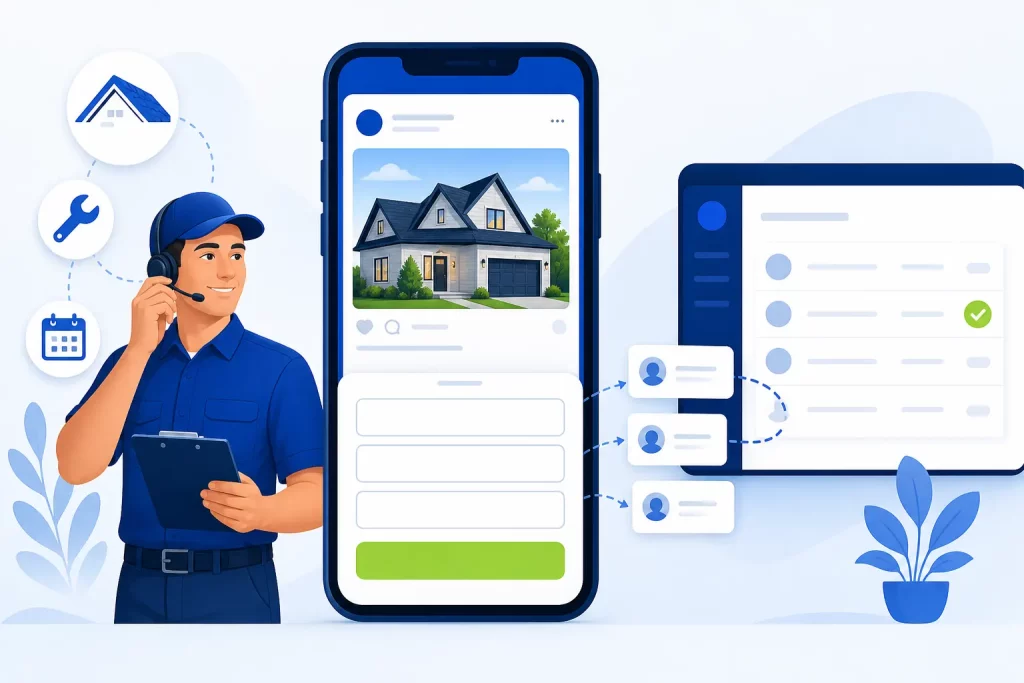
Facebook lead ads are Meta ads that open a short form, called an instant form, right inside Facebook or Instagram. People can send you their name, phone number and answers to your questions without leaving the app, and Meta can prefill contact details they’ve already given it. For a local service business, that makes them a quick way to collect quote requests and consultation bookings. The catch is lead quality. An easy form brings in more leads, and some of them won’t pick up the phone. Most of the fixes are in the form type you choose, the questions you ask and how fast you follow up.
If you’re new to the platform, our overview of the types of Facebook ads is a good starting point, and our Facebook ads management page explains how we run campaigns for clients.
What Are Facebook Lead Ads (Meta Instant Forms)?
Meta groups several ad setups under lead ads: lead ads with calling, lead ads with an instant form, and lead ads that click to message in Messenger, Instagram or WhatsApp. When most people say “Facebook lead ads,” they mean the instant form version. Meta says lead ads can appear in Facebook Feed and Stories, Instagram Feed and Stories, in-stream reels, Marketplace and more.
You create one by choosing Leads as the campaign objective in Meta Ads Manager and Instant forms as the conversion location. According to Meta’s guide to lead ads with instant form, a form is built from these parts:
| Section | What it does | Required? |
|---|---|---|
| Form type | Sets how the form behaves: More volume, Higher intent or Rich creative | Yes (More volume is the default) |
| Intro | Tells people what they get in return for their details | Optional, except for Rich creative forms |
| Questions | Contact fields plus any custom questions | Yes, at least one question |
| Privacy policy | Explains what you’ll do with people’s information | Required to run instant forms |
| Ending | Text, buttons or a promo code shown after someone submits | Optional |
When Lead Ads Fit a Local Service Business
Lead ads reach people while they scroll, not while they search. That shapes where they work. In our experience they fit best when:
- The job starts with a quote or a consultation. Roof replacement, HVAC system installs, remodeling, solar, landscaping, legal intake and med spa consultations all fit this pattern.
- You have a clear offer. A free inspection, a seasonal tune-up or a limited booking window gives people a reason to stop scrolling. Our guide to choosing an offer for your Facebook ads goes deeper.
- Someone can call leads back quickly. If nobody calls for two days, a lead ad mostly produces a list of people who’ve forgotten you.
They fit less well for emergency work, where people search Google and call whoever shows up first. For that kind of demand, Google Search ads, Local Services Ads or Performance Max are usually the better place to start. Our comparison of Google Ads vs Meta Ads for local service businesses walks through that choice.
Instant Form Types: More Volume vs Higher Intent
Meta offers three instant form types, and the choice decides how easy the form is to submit.
| Form type | How Meta describes it | Best for |
|---|---|---|
| More volume (default) | Makes it easy for people to quickly submit the form on a mobile device, and is designed to generate a larger number of leads | Low-commitment offers such as a newsletter, a guide or a giveaway |
| Higher intent | Focuses on very intentional leads, with a note under the contact fields that your business may follow up and an extra review screen where people confirm their details | Quote requests, estimates and consultations where you call every lead |
| Rich creative | A more flexible form where you can change the colors, add images and add text such as product descriptions and promotions | Offers that need more explaining before someone fills out the form |
Meta’s own guidance is that if follow-up or further qualification is required on each lead, a higher intent form “may make more sense for your business.” That describes most service businesses. The review screen adds a step, so expect fewer submissions, but fewer accidental ones too. One limit to know: Meta says a higher intent form is only delivered to Facebook Feed and Instagram feed on mobile devices, not on desktop.
Questions and Qualifying Fields
Questions are where you turn a contact into a qualified lead. Meta’s guide to asking the right questions splits them into prefill questions, like full name, email and phone number, and custom questions that you write yourself.
Custom Questions and Conditional Logic
Meta lists several lead quality features for forms built in Ads Manager:
- Custom questions that you write yourself.
- Conditional answers and conditional logic, which change the next answers or question based on a previous answer.
- An appointment request question, so people can tell you when they’d like to be contacted.
- Phone number verification, which asks people to confirm their mobile number with a one-time password before submitting.
Good Qualifying Questions for Service Businesses
Ask only what you need to decide whether to call and what to say. Multiple-choice questions are faster to answer and easier to sort.
- Which service do you need? (a short list of your main services)
- When are you hoping to get this done? (this month, in 1 to 3 months, just researching)
Each extra question costs you some submissions, so two or three good multiple-choice questions usually beat six vague ones.
Connecting Leads to Your CRM and Following Up Fast
A lead that sits in Ads Manager isn’t worth much. Meta’s best practices for responding to leads say to capture leads immediately with an integrated CRM or the Leads Center, and that minimizing the time it takes to follow up can improve your lead quality. Meta also suggests running lead ads during the hours when you can connect quickly, usually your business hours.
Meta describes three kinds of CRM integrations for lead ads:
- Direct integration between your CRM and Meta Business Suite.
- Third-party integration through tools such as Zapier and LeadsBridge, with no coding required.
- Custom integration built with Meta’s Webhooks and Graph API.
A CRM connection isn’t required, but manual downloads are where follow-up slows down. A simple setup that works for most service businesses:
- Leads flow into your CRM and whoever answers the phone gets an alert.
- Someone calls while the person still remembers filling out the form, then sends a text if there’s no answer.
- Each lead gets a status in the CRM, such as contacted, booked, sold or not a fit.
Lead Quality Problems and How to Fix Them
Complaints about Facebook leads tend to repeat. Here’s where we’d look first.
| Problem | Likely cause | What to try |
|---|---|---|
| Wrong or fake phone numbers | More volume form with one-tap prefill | Switch to Higher intent and turn on phone number verification |
| “I never filled out a form” | Slow follow-up, or people tapping through by accident | Call within minutes during business hours and use the review screen |
| Leads outside your service area or asking for services you don’t offer | Vague ad copy and no qualifying question | Name your service area and services in the ad and add a multiple-choice service question |
| Price shoppers only | An offer that attracts people who want something free | Lead with the problem you solve and a reason to book, not only a discount |
| Lots of leads, few jobs | The campaign is set to get as many leads as possible | Send lead outcomes back to Meta and optimize for qualified leads |
Optimizing for Qualified Leads
Meta lets you choose a performance goal for lead ads. “Maximize number of leads” shows your ad to people most likely to share their contact information. “Maximize number of qualified leads” shows it to people most likely to convert after sharing it. To use the qualified option, Meta recommends you connect your CRM so it learns which leads moved forward in your sales process.
This is changing. Meta’s help page says that beginning April 2026, the qualified leads performance goal is no longer available for new campaigns without a Conversions API integration, and that existing campaigns are affected beginning August 2026. If you want Meta to optimize for lead quality rather than lead count, plan for that integration.
A cheap lead that never answers isn’t cheap. Our guide to what Facebook ads cost for local businesses explains how to judge cost per customer instead.
Lead Ads vs Sending Traffic to a Landing Page
A Leads campaign doesn’t have to use an instant form. You can send people to a form on your own website instead, and Meta also offers a setup that optimizes for both. Here’s how the two compare:
| Instant form (lead ad) | Landing page on your site | |
|---|---|---|
| Where the form lives | Inside Facebook or Instagram | On your website |
| Effort for the person | Low, contact details can be prefilled | Higher, a page has to load and fields typed in |
| Tracking | Leads are counted inside Meta | Needs the Meta Pixel and Conversions API on your site |
| Who it suits | Simple offers, mobile-heavy audiences, quick quotes | Higher-ticket jobs where people want to look around first |
Many service businesses test both. A landing page also builds retargeting audiences, covered in our guide to retargeting with Facebook ads.
Tracking Lead Ads With the Meta Pixel and Conversions API
Two Meta tools handle tracking, and they do different jobs.
- The Meta Pixel is code you put on your website. It logs actions people take there, called events, which you can use to measure ads and build custom audiences for retargeting.
- The Conversions API creates a direct connection between your server, website platform, app or CRM and Meta. Meta says its data is less affected than the pixel by browser loading errors, connectivity issues and ad blockers, and recommends using it alongside the pixel.
With instant forms, the form is filled out on Facebook or Instagram, so the submission is counted inside Meta rather than by the pixel on your site. What Meta can’t see on its own is what happened next: whether the person answered, booked or bought. Sending those CRM stages back through the Conversions API closes that gap. For measuring calls, forms and jobs across channels, see our guide on how to track ad performance for a service business.
Special Ad Categories: Why They Matter for Mortgage and Real Estate Advertisers
Some ads have to be run under a Special Ad Category. Meta’s categories are housing, employment, financial products and services, and social issues, elections or politics. If your ad belongs in a category and you don’t choose it, Meta says the ad may be rejected.
Two details trip people up:
- Credit is now “financial products and services.” Meta says the old Credit category was replaced, and that starting January 21, 2025, the financial products and services category is required for those campaigns from advertisers based in the US or showing ads to US audiences.
- Housing covers more than listings. Meta’s housing ads page includes sale and rental listings, homeowners and mortgage insurance offers, mortgage loans, home equity or appraisal services, and real estate and house hunting services. Meta’s category overview also lists housing repairs as an example, so home improvement companies should read the policy before assuming it doesn’t apply.
What Changes Under a Special Ad Category
For housing, employment and financial products and services ads that are run from or reach the US, and for ads reaching Canada and certain countries in Europe, Meta says age, gender, ZIP or postal code, exclusion targeting, lookalike audiences and saved audiences are limited or unavailable. Some interests are unavailable too, and audiences based on a city or a dropped pin get an expanded radius.
The forms change as well. Meta’s lead ads page says that for these categories in the US, or targeting the US or Canada, you may not collect age, gender, marital or relationship status, or location details such as street address, city, postal code and ZIP code. Meta allows custom fields that ask about location preferences for the service, but they can’t mimic the prohibited prefill questions.
For a mortgage broker or real estate agent, the audience will be broader and the form can’t screen by location, so the ad and the offer have to do the qualifying. This isn’t legal advice; check Meta’s current policy before you launch.
Frequently Asked Questions
Do Facebook lead ads work for service businesses?
They can, especially for jobs that start with a quote or consultation, such as roofing, remodeling, HVAC installs and legal intake. They work best with a clear offer, a higher intent form and someone who calls new leads quickly. For emergency jobs, people tend to search Google instead.
What is the difference between More volume and Higher intent forms?
More volume is Meta’s default and is built to make submitting quick and easy, which brings in more leads. Higher intent adds a note that your business may follow up and a review screen where people confirm their details. Meta says it’s the better fit when you follow up on or qualify each lead.
Why are my Facebook leads such low quality?
The usual causes are a More volume form, no qualifying questions, an offer that attracts freebie seekers and slow follow-up. Try a Higher intent form, add one or two multiple-choice questions, turn on phone number verification and call within minutes during business hours.
How quickly should I contact a Facebook lead?
As soon as you can. Meta recommends capturing leads immediately through a CRM or the Leads Center and says minimizing the time it takes to follow up can improve your lead quality. Running the ads during business hours makes fast follow-up easier.
Do mortgage and real estate ads need a Special Ad Category?
Yes, in most cases. Meta’s housing category covers listings, mortgage loans, mortgage insurance and real estate services, and lending offers can also fall under financial products and services. These categories limit targeting options and the information your lead form can collect.
Get Help With Facebook Lead Ads
Local Blitz has run digital marketing for local businesses since 2009, from offices in San Diego (Encinitas) and Indianapolis. We set up lead forms, connect them to your CRM, track what happens after the form and report on calls and leads, not just clicks. You pay Meta directly for ad spend, and our management fee is separate. Plans are month-to-month, with no cookie-cutter packages. Learn more about our Facebook ads management or book a free strategy call, and if lead ads aren’t the right fit for your business, we’ll tell you.
Is AI recommending your business?
We will ask ChatGPT, Gemini and Google AI about your business and show you what they say. It is free.
Want More Customers From Search?
Book a free strategy call, or call San Diego (858) 225-6877 or Indianapolis (317) 672-1156.