
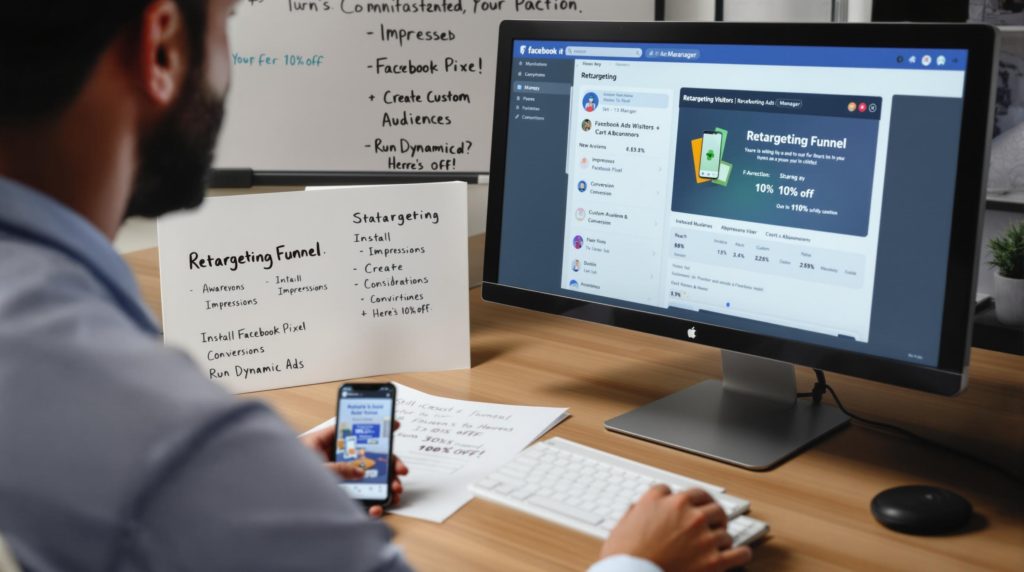
Facebook retargeting is showing Meta ads on Facebook and Instagram to people who already know your business: people who visited your website, are on your customer list, or engaged with your videos, Page, Instagram account or lead forms. It works through custom audiences built from the Meta Pixel, the Conversions API and your own data.
For a local service business, that usually means reminding someone who looked at your “water heater replacement” page last week, or a homeowner who watched most of your video, that you’re ready to help. This guide covers what you need first, how to set it up step by step, audience windows, frequency, creative ideas, privacy basics and how to tell whether it worked. It’s part of our Facebook ads management hub.
Why Retargeting Matters for Local Businesses
Most people don’t call the first time they find a service business. They compare a few options, check reviews, ask a spouse, and come back later, or don’t. Retargeting keeps your business in front of that smaller, warmer group while they decide. Because the audience already knows you, these ads can be more direct than ads aimed at strangers: a reminder, an answer to a common objection, or a clear next step like “book a free estimate.”
Retargeting isn’t a full strategy on its own. It needs a steady flow of new people from search, social or other ads to have anyone to remind. Think of it as the follow-up layer on top of your prospecting campaigns.
What You Need First: Meta Pixel, Conversions API and Custom Audiences
Meta Pixel
The Meta Pixel is a piece of code on your website that records visits and actions such as page views, form submissions and booking requests, then sends them to Meta. Those events are what website custom audiences are built from, and what Meta uses to measure and optimize your ads.
Conversions API
The Conversions API sends the same kinds of events from your server, website platform or CRM directly to Meta, instead of relying only on the browser. Browser tracking is weaker than it used to be because of ad blockers, cookie restrictions and Apple’s App Tracking Transparency, so running the Pixel and the Conversions API together gives Meta a more complete picture. When you send the same event both ways, include a matching event ID so Meta can remove duplicates.
Custom audiences
Custom audiences are the lists you retarget. The three types local businesses use most:
| Audience type | Built from | Good for |
|---|---|---|
| Website | Pixel and Conversions API events, such as visits to a service page or a form submission | Reminding recent visitors who didn’t call or book |
| Customer list | Emails or phone numbers you have permission to use, uploaded to Meta and matched in hashed form | Past customers (seasonal service, repeat work) and leads who went quiet |
| Engagement | People who watched your videos, opened or submitted a lead form, or interacted with your Facebook Page or Instagram account | Reaching warm people even if they never visited your website |
Website audiences can look back up to 180 days, according to Meta’s guide to website custom audiences. Engagement audiences can use longer windows. Small audiences may be too small to deliver well, which is one reason low-traffic sites lean on engagement and customer list audiences.
How to Set Up Facebook Retargeting, Step by Step
- Set up a business portfolio in Meta Business Suite (formerly Business Manager), owned by your business, with your Facebook Page, Instagram account and ad account connected.
- In Events Manager, create a dataset (Pixel) and install it on your website, either with a partner integration for your platform or through Google Tag Manager.
- Add standard events for the actions that matter: Lead for form submissions, Contact for clicks on your phone number or email, and Schedule for booking requests.
- Connect the Conversions API, through your website platform’s integration, the Conversions API Gateway or a developer, and send event IDs so duplicate events are removed.
- Test with the Test Events tool in Events Manager. Submit a form and click your phone number yourself, and confirm each event arrives.
- In Ads Manager, open Audiences and create your custom audiences: website visitors by page and time window, your customer list, and video or lead form engagers.
- Create a campaign with the Leads or Sales objective. In the ad set, choose your retargeting audience and exclude people who already converted, such as recent form submitters or current customers.
- Write ads made for people who already know you (ideas below), then launch with a modest daily budget.
- Check results after the first week or two: frequency, cost per lead, and whether leads in your CRM or call log match what Meta reports.
Even if you don’t plan to run retargeting yet, install the Pixel and Conversions API now. Website audiences only include people from the time tracking was in place, so starting early gives you an audience to use later.
Choosing Audience Windows
The window is how far back the audience looks. Shorter windows mean warmer but smaller audiences. A practical starting structure for a local service business:
| Window | Who is in it | What to show them |
|---|---|---|
| 1 to 7 days | Recent visitors to service pages, people who started but didn’t finish a form | Direct reminder: call now, book an estimate, answer one objection |
| 8 to 30 days | People still comparing options | Reviews, before-and-after work, guarantees, financing if you offer it |
| 31 to 180 days | People who visited some time ago | Seasonal reminders, a new offer, maintenance services |
| Customer list | Past customers | Repeat or seasonal service, referral requests |
If your site gets modest traffic, combine windows into one 30-day or 90-day audience rather than splitting a small group into pieces. Always exclude recent converters so you don’t pay to advertise to someone who already booked.
Frequency: How Often Should People See Your Ads?
Frequency in Ads Manager is the average number of times each person saw your ad. Retargeting audiences are small, so frequency climbs fast. There’s no single right number. Watch for warning signs instead: falling click-through rate, rising cost per lead, or negative comments. When those appear, refresh the creative, widen the window, or lower the budget.
Meta’s ad relevance diagnostics (quality ranking, engagement rate ranking and conversion rate ranking) compare your ad with others competing for the same audience. They replaced the old relevance score, so if you read older guides that mention a relevance score, use these three rankings instead.
Retargeting Creative Ideas for Service Businesses
- Answer the objection: a short video explaining what affects the price, how long the job takes, or what’s included
- Show the work: before-and-after photos of real jobs
- Use your own reviews: a real review from your Google Business Profile, quoted accurately
- Make the next step easy: a lead ad with an instant form, or a click-to-message ad that opens Messenger, Instagram Direct or WhatsApp
- Use vertical video: 9:16 video for Stories and Reels placements on Facebook and Instagram
- Seasonal reminders: furnace tune-ups before winter, pool openings in spring, gutter cleaning in fall
Our guide to the types of Facebook ads explains each format, and our Instagram ads management page covers Instagram placements.
Privacy, Consent and Restrictions
Retargeting relies on data about people, so a few rules apply:
- Consent and disclosure: Meta’s Business Tools Terms require you to give notice and get any consent the law requires before sharing data through the Pixel or Conversions API. Your privacy policy should explain this, and a cookie consent banner may be needed depending on where your visitors are.
- Customer lists: upload only contacts you have permission to use for marketing. Meta matches them in hashed form.
- Special ad categories: ads about housing, employment, credit, financial products and services, or social issues and politics must use a special ad category, which limits targeting options.
- Health businesses: dental and medical practices should be careful about which events they send. Meta restricts how health-related data can be shared and used, so avoid sending events that reveal a condition or treatment, and check Meta’s current rules before setting up tracking.
How to Measure Whether Facebook Retargeting Worked
Judge retargeting on leads and booked work, not clicks. Look at:
- Leads and cost per lead from the retargeting campaign, compared with your prospecting campaigns
- Phone calls and form submissions in your CRM or call log during the same period, not only Meta’s count
- The attribution setting on your results; Meta counts conversions within a set number of days after a click or view, so some conversions it reports may also have been influenced by other channels
- UTM parameters on your ad links, so Google Analytics shows retargeting traffic separately (see our guide to call and conversion tracking)
For a stricter test, Meta offers lift studies through Experiments in Ads Manager, which hold back a group from seeing your ads and compare results. That’s most useful once you have enough volume to measure. For what drives the cost side, see our guide to Facebook ads cost.
How Long Does Facebook Retargeting Take to Work?
It depends on how fast your audiences fill. A site with steady traffic can have a usable website audience within a few weeks of installing the Pixel; a low-traffic site may need months, or rely on customer list and engagement audiences. After launch, Meta’s delivery system goes through a learning phase, and results often settle after the first couple of weeks. Give a retargeting campaign at least a few weeks and enough budget to gather data before judging it, and avoid large edits during that time.
Frequently Asked Questions
What is Facebook retargeting?
It’s showing Meta ads on Facebook and Instagram to people who already interacted with your business, such as website visitors, past customers or people who watched your videos. It uses custom audiences built from the Meta Pixel, the Conversions API and your own customer data.
Do I need the Meta Pixel for Facebook retargeting?
You need the Pixel or the Conversions API to build website audiences, and Meta recommends using both. You can still retarget without website tracking by using customer list and engagement audiences.
How far back can a Facebook retargeting audience go?
Website custom audiences can look back up to 180 days. Engagement audiences can use longer windows, and customer lists include whoever you upload.
How many times should someone see my retargeting ad?
There’s no fixed number. Watch frequency alongside click-through rate and cost per lead, and refresh your creative or widen the audience when results start to drop.
Is Facebook retargeting allowed for medical or financial businesses?
Often yes, with limits. Credit and financial products ads must use a special ad category with restricted targeting, and Meta restricts health-related data, so dental and medical practices should check which events they send.
Get Help With Facebook Retargeting
Local Blitz has managed paid ads for local businesses since 2009, from offices in San Diego and Indianapolis. We set up the Pixel and Conversions API, build audiences, write the ads and report on the calls and leads that come back. Ad spend is paid directly to Meta and our management fee is separate, with month-to-month plans and no cookie-cutter packages. See our Facebook ads management service, or book a free strategy call.
Is AI recommending your business?
We will ask ChatGPT, Gemini and Google AI about your business and show you what they say. It is free.
Want More Customers From Search?
Book a free strategy call, or call San Diego (858) 225-6877 or Indianapolis (317) 672-1156.